단보루에서 이미지를 다운로드하는 방법은 무엇인가요?

단보루는 애니메이션, 만화, 게임, 팬아트 이미지를 찾을 수 있는 인기 사이트입니다. 방대한 컬렉션과 강력한 태그 시스템 덕분에 사용자는 캐릭터, 작가, 시리즈 또는 시각적 특징으로 원하는 작품을 빠르게 찾을 수 있습니다. 하지만 원하는 이미지를 찾는 것은 절반의 작업일 뿐입니다. 단보루에서 여러 이미지를 저장하고 싶다면, 하나씩 다운로드하는 과정은 반복적이고 시간이 많이 소요될 수 있습니다.
이 가이드에서는 단보루(Danbooru)와 그 대안들을 소개하고, 단보루에서 이미지를 다운로드하는 여러 가지 방법을 설명하며, 대용량 이미지 모음을 더욱 효율적으로 다운로드할 수 있는 고급 솔루션을 보여드리겠습니다.
1. What Is Danbooru?
단보루는 주로 애니메이션 스타일의 그림으로 유명한 이미지 게시판이자 이미지 데이터베이스입니다. 단보루의 가장 유용한 기능 중 하나는 상세한 태그 시스템입니다. 캐릭터, 작가, 시리즈, 테마, 이미지 특징 및 기타 속성에 따라 이미지를 태그할 수 있어 특정 작품을 훨씬 쉽게 찾을 수 있습니다.
수많은 페이지를 일일이 일일이 살펴보는 대신, 태그 조합을 이용해 검색할 수 있습니다. 덕분에 단보루는 특정 캐릭터, 프랜차이즈, 작가 또는 스타일과 관련된 이미지를 찾고자 하는 사용자에게 특히 편리합니다.
비슷한 웹사이트를 찾고 있다면, Danbooru와 유사한 여러 대안 사이트를 살펴보는 것이 좋습니다.
- 겔보루: 애니메이션에 초점을 맞춘 이미지 게시판으로, 방대한 이미지 모음과 다양한 태그 옵션을 제공합니다.
- 세이프보루: 애니메이션 및 관련 작품을 중심으로 구성된, 보다 가족 친화적인 이미지 게시판입니다.
- 제로찬: 캐릭터와 시리즈별로 이미지가 정리된 인기 애니메이션 이미지 사이트입니다.
- 코나짱: 애니메이션 배경화면과 고해상도 아트워크로 유명한 이미지 게시판입니다.
- 픽시브: 아티스트들이 일러스트, 팬아트, 만화 및 기타 오리지널 창작물을 발표하는 주요 창작 플랫폼입니다.
2. 단보루에서 이미지를 다운로드하는 방법은 무엇인가요?
단보루에서 이미지를 저장하는 방법은 여러 가지가 있습니다. 가장 적합한 방법은 다운로드하려는 이미지의 양에 따라 다릅니다.
2.1 이미지를 직접 다운로드
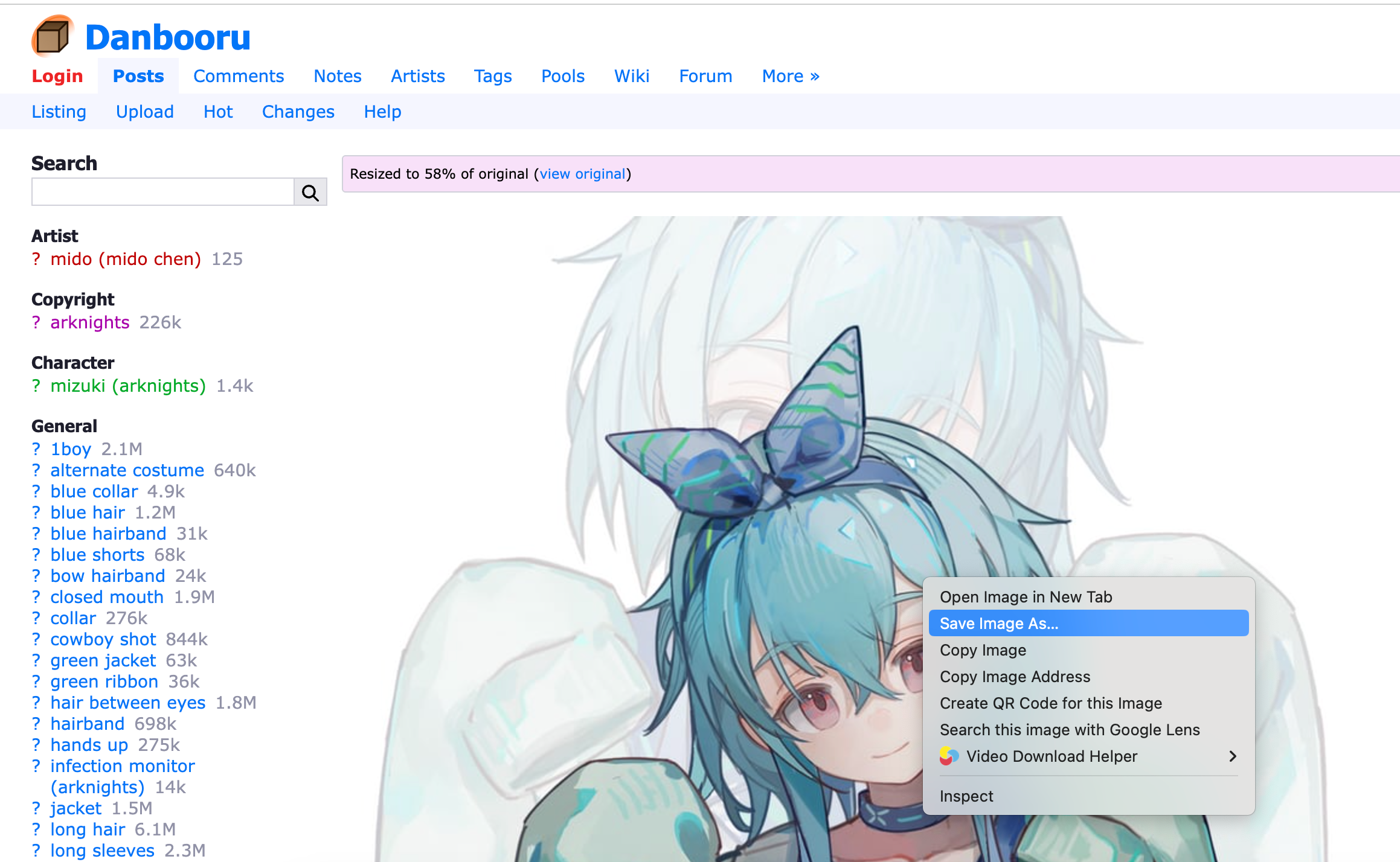
단보루 이미지를 다운로드하는 가장 간단한 방법은 웹 브라우저를 통해 직접 저장하는 것입니다. 이 방법은 이미지가 몇 장만 필요한 경우에 적합합니다.
다음 단계를 따르세요:
- 브라우저에서 Danbooru를 열고 원하는 캐릭터, 작가, 시리즈 또는 기타 태그를 검색하세요.
- 원하는 이미지의 썸네일을 클릭하면 전체 크기 이미지가 표시될 때 열립니다.
- 단보루 이미지를 마우스 오른쪽 버튼으로 클릭하고 선택하세요. 다른 이름으로 이미지 저장 그런 다음 저장할 폴더를 선택하고 파일을 저장하세요.
2.2 브라우저 확장 사용
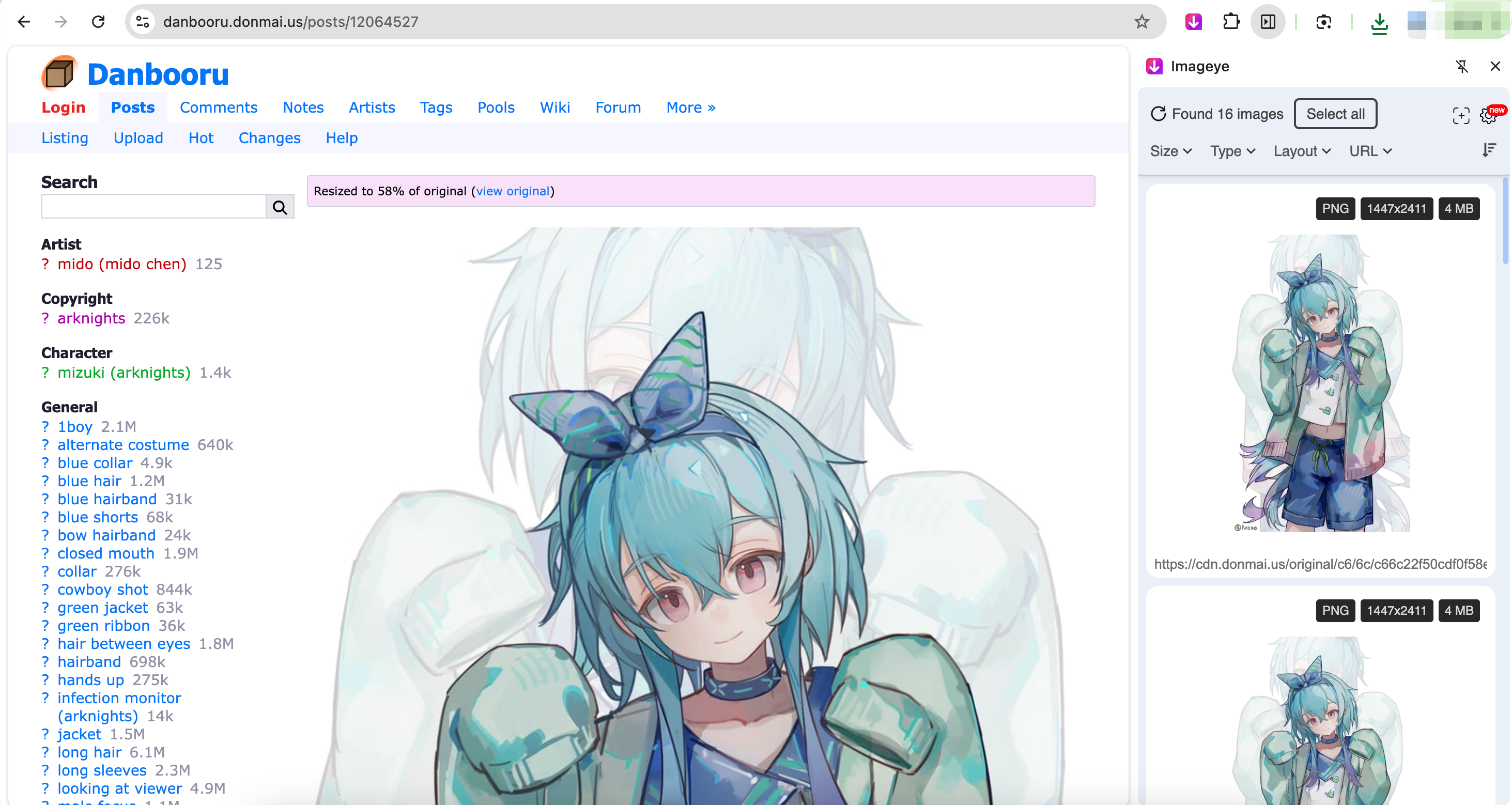
또 다른 방법은 이미지 다운로드 전용 브라우저 확장 프로그램을 사용하는 것입니다. 많은 이미지 다운로더 확장 프로그램은 현재 웹페이지를 스캔하여 사용 가능한 이미지를 식별하고 여러 파일을 선택할 수 있도록 해줍니다.
일반적인 절차는 다음과 같습니다.
- Imageye와 같은 신뢰할 수 있는 이미지 다운로더 확장 프로그램을 브라우저에 설치하세요.
- 단보루 검색 페이지나 태그 페이지를 열고 확장 프로그램을 활성화한 다음 웹페이지 스캔을 허용하세요.
- 감지된 이미지를 검토하고 원하는 이미지를 선택한 후 다운로드를 시작하세요.
2.3 온라인 이미지 다운로더 사용하기
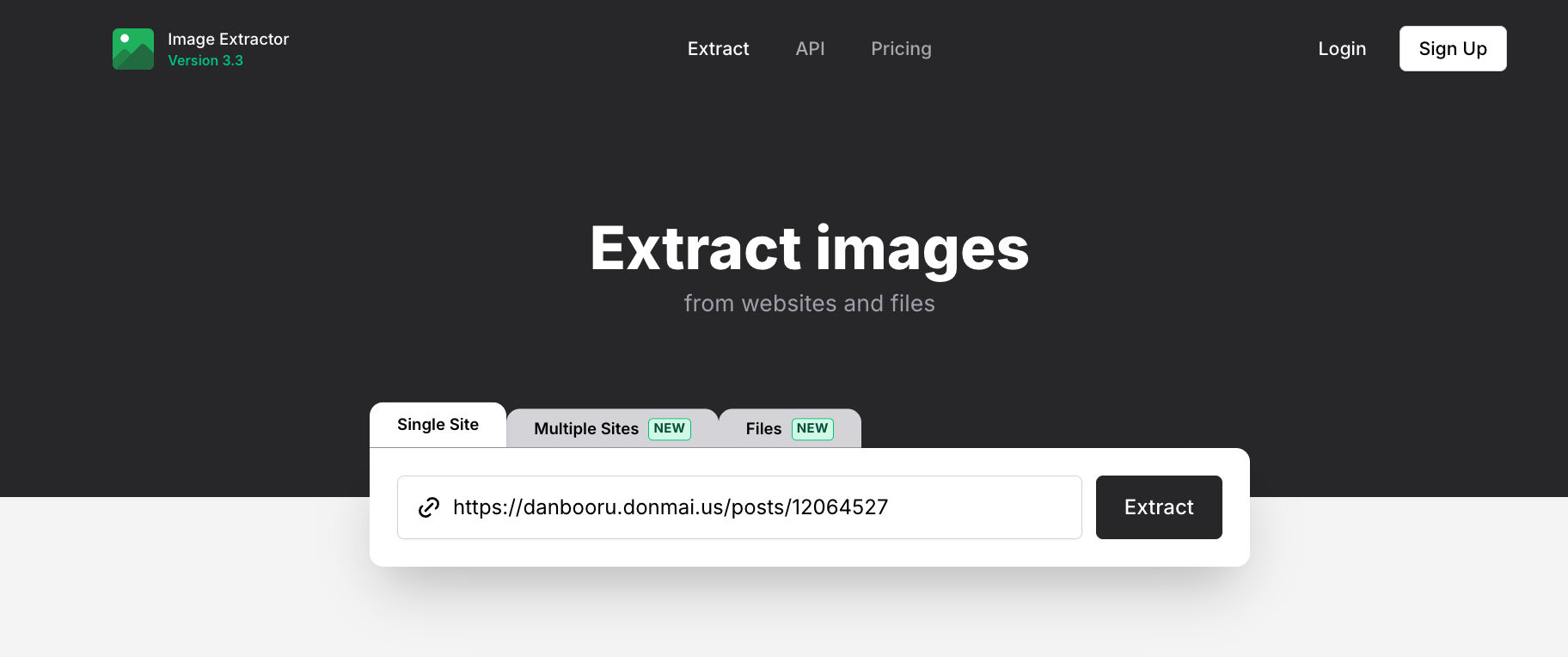
온라인 이미지 다운로더는 일반적으로 소프트웨어를 설치할 필요가 없기 때문에 또 다른 편리한 옵션을 제공합니다. 웹페이지의 URL을 복사하여 다운로더에 붙여넣기만 하면 서비스가 페이지를 분석하여 이미지를 다운로드합니다.
단계:
- 이미지가 포함된 단보루 페이지를 열고 웹페이지 URL을 복사하세요.
- Image Extractor와 같은 호환되는 온라인 이미지 다운로더를 열고 제공된 필드에 Danbooru URL을 붙여넣어 스캔 또는 처리 프로세스를 시작하세요.
- 사용 가능한 이미지를 선택하고 선택한 파일을 다운로드하십시오.
3. 고급: 한 번의 클릭으로 모든 단보루 이미지 다운로드 Imaget
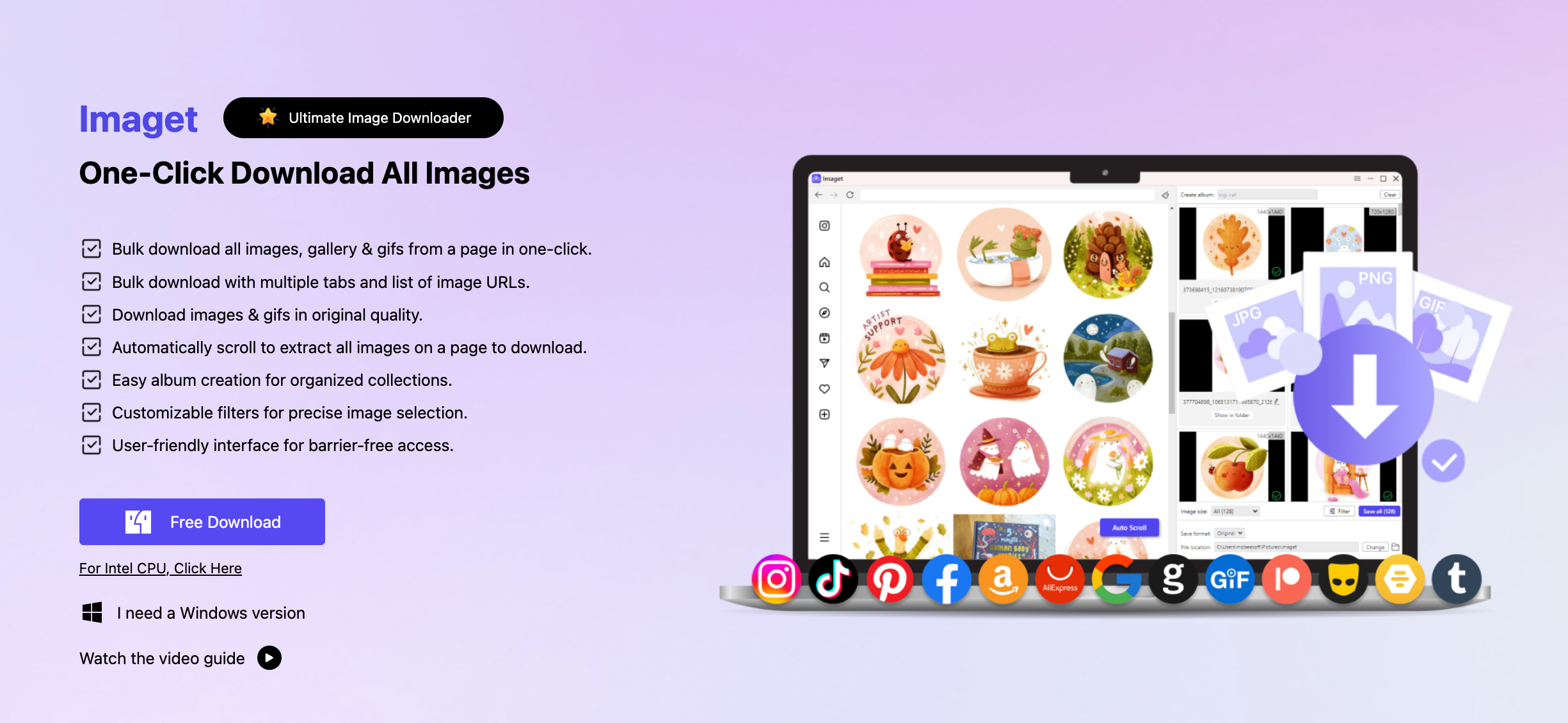
단보루에서 이미지를 자주 다운로드하거나 대량의 이미지를 저장해야 하는 경우, Imaget 보다 효율적인 접근 방식을 제공합니다. 대량 이미지 다운로드를 위해 설계되었습니다. Imaget 웹페이지에서 이미지를 스캔하여 각 파일을 수동으로 저장하지 않고도 여러 파일을 한 번에 다운로드할 수 있습니다.
사용 방법은 다음과 같습니다. Imaget Danbooru 이미지를 일괄 다운로드하려면:
- 다운로드, 설치 및 실행 Imaget 컴퓨터에서 ( Windows 또는 Mac 장치).
- 내부에 Imaget 원하는 그림이 있는 단보루 이미지 페이지를 열고 페이지를 스크롤하세요. Imaget 웹페이지를 분석하여 사용 가능한 이미지를 식별합니다.
- 다운로드할 파일을 선택하고 저장 폴더와 같은 원하는 다운로드 설정을 구성하세요.
- 모든 준비가 완료되면 "모두 저장"을 클릭하세요. Imaget 여러 이미지를 일괄 다운로드할 수 있습니다.
4. 결론
단보루에서 이미지를 다운로드하는 것은 파일 수가 적을 때는 간단합니다. 브라우저를 통해 개별 이미지를 직접 저장하거나, Imageye와 같은 확장 프로그램을 사용하여 여러 이미지를 한 번에 다운로드하거나, 추가 소프트웨어 설치 없이 Image Extractor와 같은 온라인 도구를 사용할 수 있습니다. 하지만 이러한 방법들은 대량의 이미지를 다운로드해야 할 때는 불편해질 수 있습니다.
대용량 다운로드를 더 빠르고 효율적으로 처리하고 싶은 사용자를 위해, Imaget 이 프로그램은 훌륭한 선택지입니다. 단보루 페이지를 스캔하여 이미지를 감지하고 여러 파일을 한 번에 다운로드할 수 있어 이미지를 하나씩 수동으로 저장하는 번거로움을 덜어줍니다. 단보루에서 정기적으로 작품을 수집하고 대량 이미지 다운로드를 위한 편리한 원클릭 솔루션을 원한다면 이 프로그램이 적합합니다. Imaget 시도해 볼 만한 가치가 충분히 있습니다.